

Windows
Sentry Desk for Windows
$499 perpetual license
Purchase once through the WCS Store. The existing Windows trial, installer, and WCS signed-license workflow remain unchanged.
Sentry Desk is a professional Windows and Mac command center for DoorBird IP video intercoms and Axis network loudspeakers. It gives property managers, security teams, schools, and facility staff a live desktop view of visitors, fast SIP call handling, remote door release, event history, evidence recordings, and clear push-to-talk or prerecorded loudspeaker announcements from one WCS application.
Windows and Mac editions use separate purchase and licensing channels. Choose the edition that matches the operator workstation.
Windows
$499 perpetual license
Purchase once through the WCS Store. The existing Windows trial, installer, and WCS signed-license workflow remain unchanged.
macOS
$24.99 monthly or $249 annually
Annual is the best value and saves $50.88 compared with twelve monthly payments. Eligible annual subscribers receive a 14-day introductory trial, subject to Apple's eligibility determination.
Subscriptions and billing are managed by Apple. The Mac edition does not use the WCS license server.
Monitor DoorBird visitor video, answer SIP calls, unlock doors, review motion and ring history, and operate Axis public-address loudspeakers from the same desktop live view.
The setup flow can discover DoorBird units, detect the correct local or VPN workstation address, and push SIP settings to the intercom so the PC receives calls cleanly over LAN or WAN/VPN.
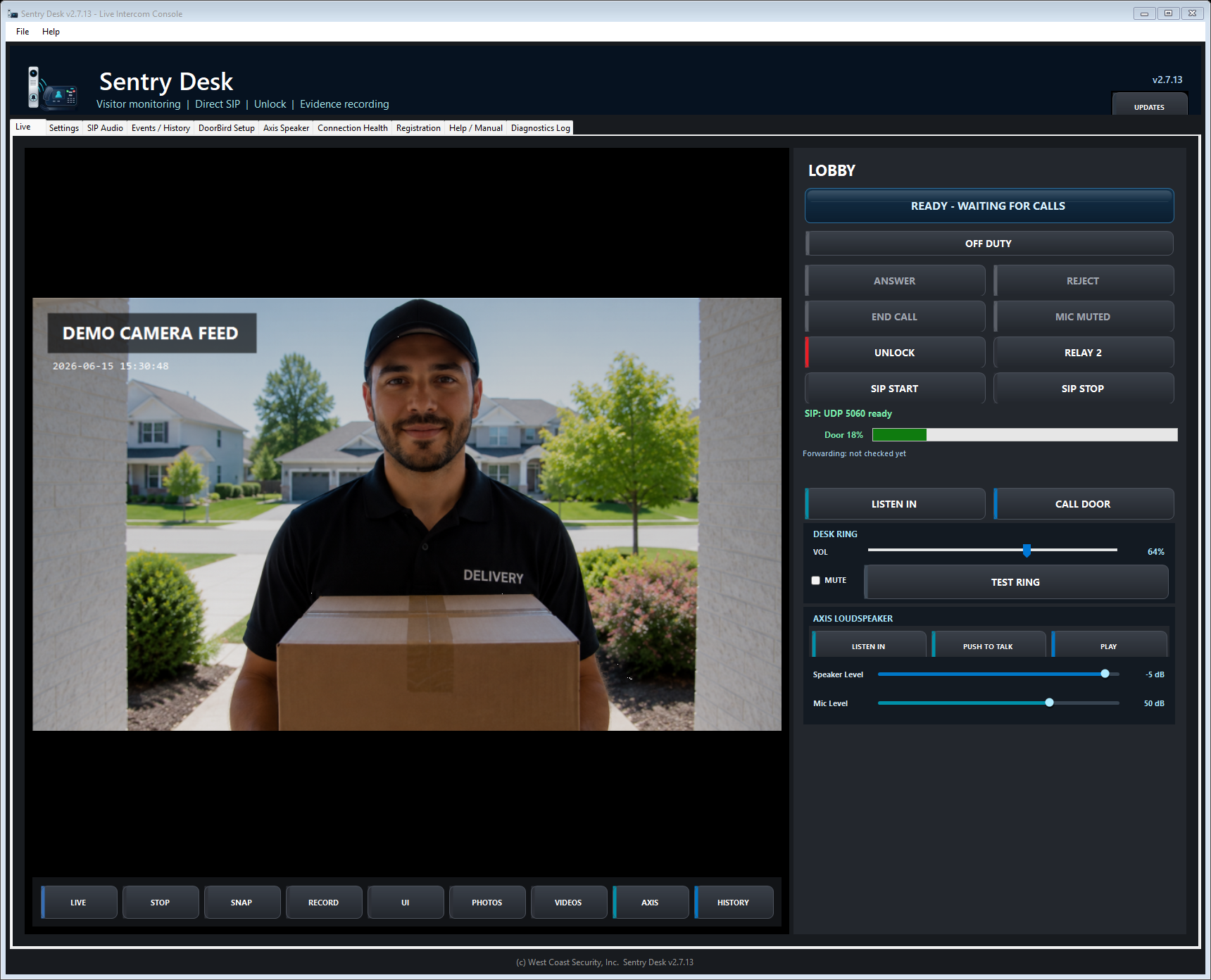
Watch the DoorBird desktop workflow from a real Windows operator view, including live monitoring, call handling, remote door release, event review, and Axis speaker operations.
Because Sentry Desk is distributed directly by West Coast Security, your browser or Windows may ask you to confirm the download. Use installers from WCS links only.
Request the current signed installer through the WCS download form. Download and licensing records are handled under the WCS download privacy notice.
Sentry Desk is independently developed WCS software for systems the user owns, administers, or is expressly authorized to operate. DoorBird and Axis names identify supported workflows and do not imply manufacturer endorsement of Sentry Desk.
Follow applicable privacy, recording, workplace, school, residential, access-control, and announcement requirements. Verify operator permissions and door-release behavior before production use. See the software use and safety notice.