
Proxmark Card Lab
A WCS desktop lab tool for authorized security technicians working with clients for card technology identification, documentation, encoding, and reporting workflows.
Version 0.2.0 brings credential analysis, reader and site profiles, protected client records, deliberate action controls, and polished reporting into one signed Windows workspace.
Technician bench workflow
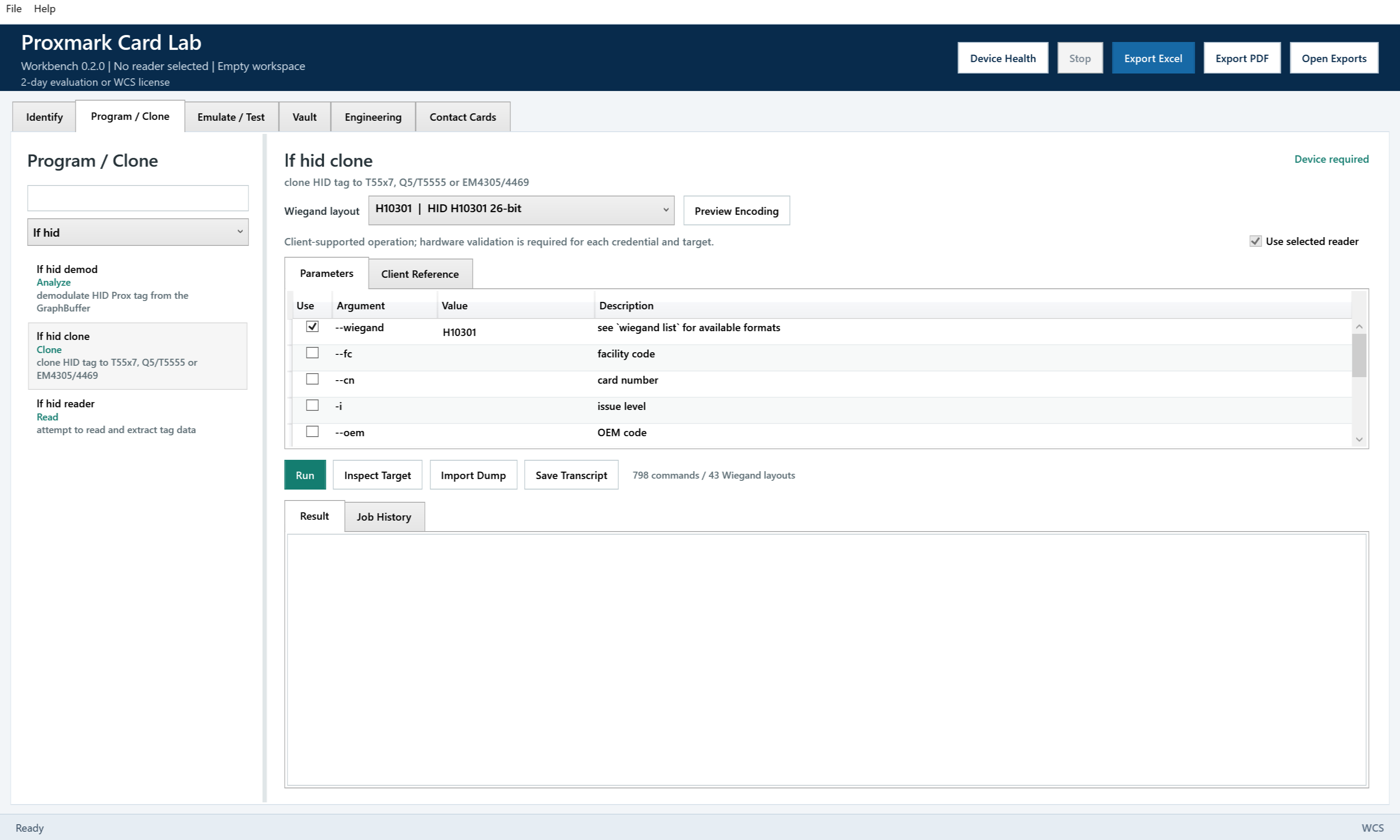
Use Proxmark Card Lab to select a Proxmark3 port, confirm the bundled Proxmark root, flash reader firmware when needed, run LF/HF scan paths, and retain raw output for engineering review.
The app is intended for authorized WCS service and customer-approved lab work only.
Read and identify
LF scan, HF scan, Scan All, and targeted HF read profiles for common credential families.
Authorized encode workflows
HID H10301, AWID 26-bit, Indala, and Kantech ioProx entries are staged for supported lab workflows.
Document and export
Store card records with client/site details, technician notes, decoded fields, and raw Proxmark output.
Download note
Because Proxmark Card Lab is distributed directly by West Coast Security, your browser or Windows may ask you to confirm the download. Use installers from WCS links only.
- Product ID
- ProxmarkCardLab
- Version
- 0.2.0
- Runtime
- .NET 10 LTS self-contained, Windows x64
- Installer file
- ProxmarkCardLab_Setup_v0_2_0.msi
- Installer size
- 102,293,504 bytes
- SHA-256
- B7E6682970A6D0B97266AFE6148829241DB05B81643740B445070FBCCCF93A91
- License mode
- 2-day demo or signed WCS license requested through TechServices@wcsecurity.com.
- Install path
- C:\Program Files\WCS\Proxmark Card Lab
- Writable app state
- %ProgramData%\WCS\Proxmark Card Lab
- Exports
- %USERPROFILE%\Documents\WCS\Proxmark Card Lab\Exports
- Download logging
- Controlled WCS trial/request flow with server-side release tracking.
What is included in 0.2.0
- Six technician work areas organize identification, programming, emulation, vault records, engineering, and contact cards.
- Continuous LF/HF scanning preserves observed evidence and separates alternate format interpretations from additional technologies.
- 798 bundled client command entries and 43 Wiegand layouts provide searchable help and structured engineering parameters.
- Guarded HID target inspection, raw read-back verification, and encrypted job history support authorized credential work.
- Encrypted vault backups, explicit recovery, and a read-only memory viewer retain findings without treating a UID as a secure credential copy.
- Contact Cards creates vCard and NDEF payloads, with capacity checks and guarded NTAG213/215/216 user-memory writing.
- The signed .NET 10 LTS release retains a 2-day evaluation and paid licensing. Catalog coverage is not a claim of hardware validation or universal cloning.
Authorized use only
Proxmark Card Lab is independently developed by West Coast Security for qualified security professionals working on systems they own, administer, or are explicitly authorized to service. Proxmark3 identifies compatible hardware and does not imply manufacturer sponsorship or endorsement. Do not analyze, encode, emulate, duplicate, or export credential data without documented authorization from the customer or system owner. Review the software use and safety notice before use.